



Organize your AI conversations
Organize your AI conversations into custom folders. Supports Gemini, Claude, ChatGPT, Copilot, DeepSeek, Grok, and Perplexity.
18 supported AI services
ChatGPT, Claude, Gemini, Copilot, DeepSeek, Grok, Perplexity, Baidu, Character.AI, Duck.ai, Kimi, Meta AI, Mistral, Pi, Poe, Qwen, Z.ai and Local LLM. Conversations from different services can share the same folder, each tagged with its service's color and logo so you always know where it came from.
 Meta AI
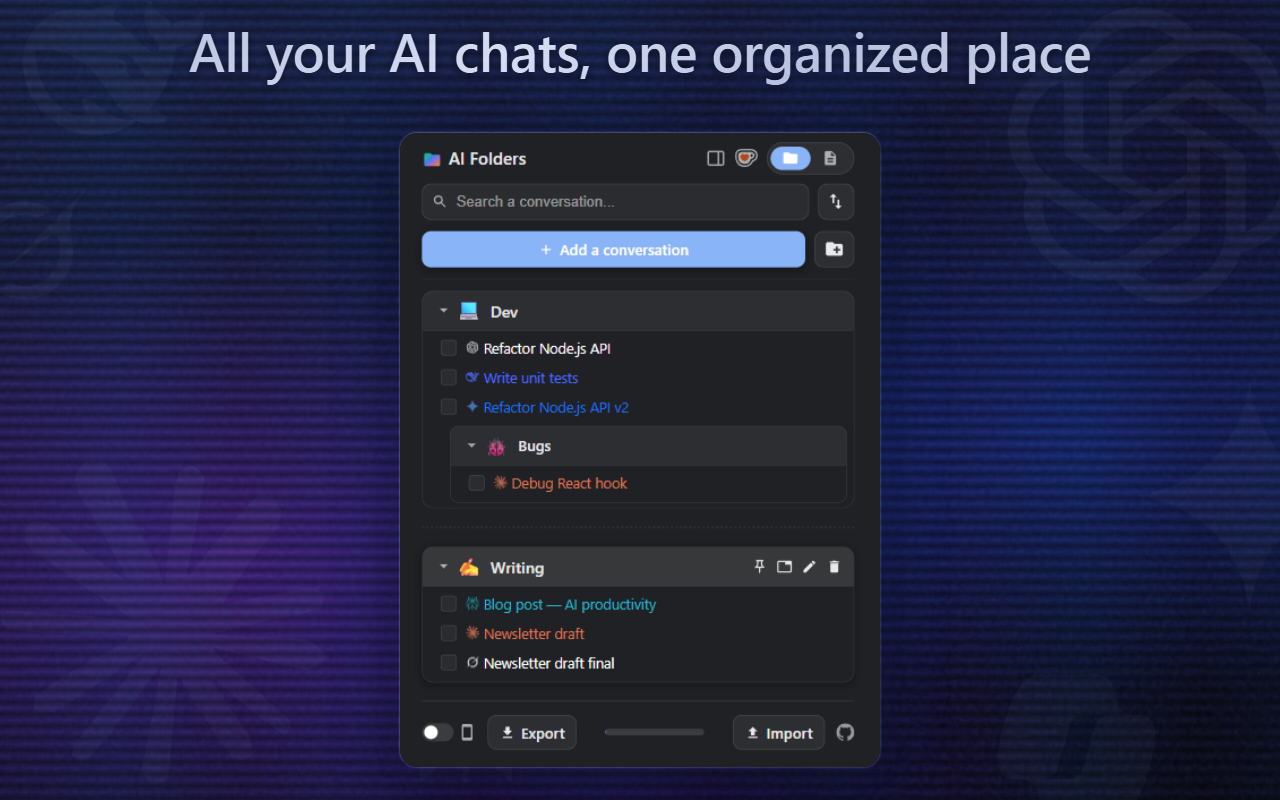 Folder Mode
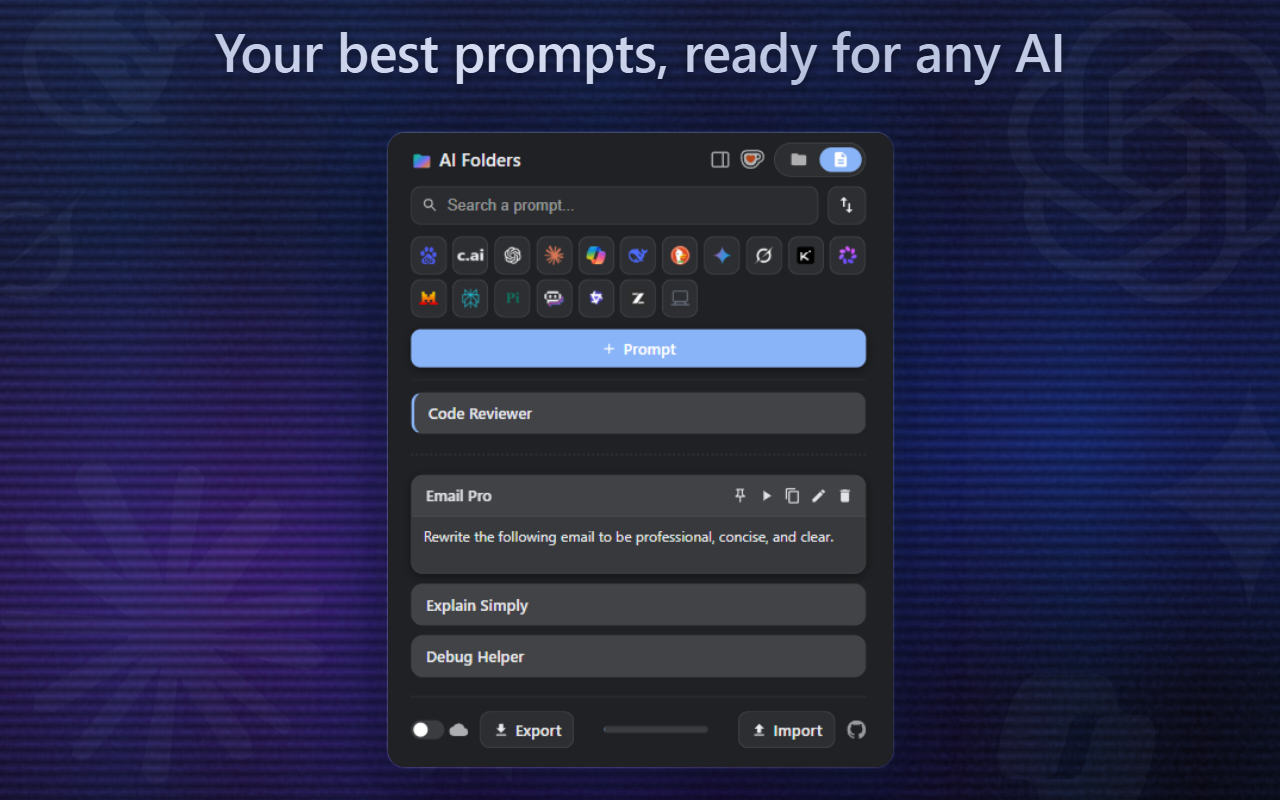 Prompt Mode
FOLDER FEATURES
Quick Save (Right-Click & Shortcuts)
Save the current conversation with a simple right-click, or use the keyboard shortcut (Ctrl+Shift+S or Cmd+Shift+S on Mac) to instantly send it to "⚡ Quick Saves" — with a visual alert if it's already saved!
Tab Groups Integration
Open an entire folder in a single click as a native, color-coded browser Tab Group.
Mobile Sync
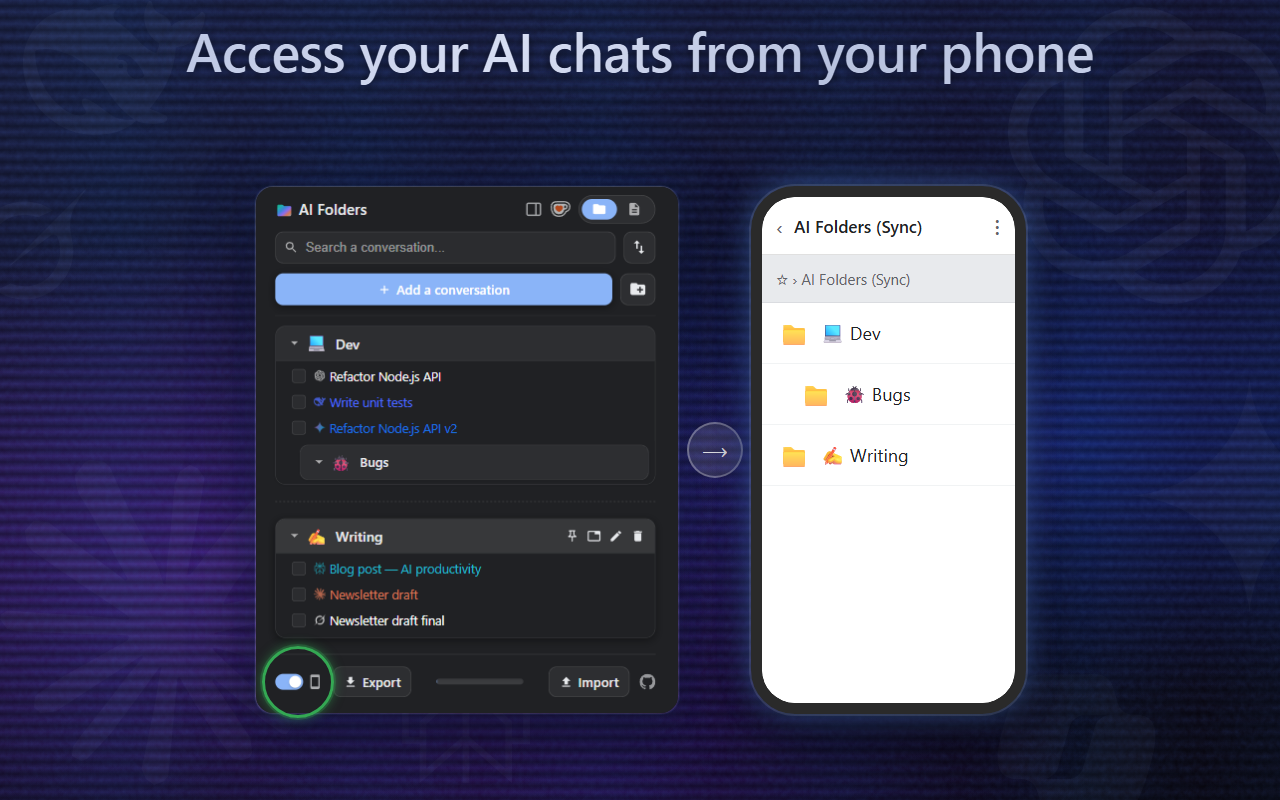
A toggle generates a mirror folder in your browser bookmarks, perfectly reproducing your folder structure and custom sort order on your phone.
Multi-Select (Bulk Actions)
Select multiple conversations using checkboxes to move or delete them in one click.
Drag & Drop
Reorganize your workspace by dragging conversations between folders.
Custom Folder Emojis
Start your folder name with an emoji (e.g., "💻 Code") to replace the default folder icon.
Smart Detection & Search
Automatic pre-fill of your conversation's exact title and a real-time search bar.
Cloud Sync & Backup
Access your organization on all your devices and export your data as JSON.
Ultra-Efficient Compression
Automatically compresses your data (LZString) to maximize your browser's native storage and save hundreds of conversations.
Personal Prompt Library
No more copy-pasting. Click the play button (▶) on any saved prompt to inject it directly into any supported AI's input field.
- 📝Personal Prompt Library — Switch to Prompt Mode with a single click on the toggle in the header. Save your best prompts with a title and full text, then find them instantly with search and sort (newest, oldest, A-Z).
- ▶One-Click Injection — No more copy-pasting. Click the play button (▶) on any saved prompt to inject it directly into any supported AI's input field.
- ✏️Inline Editing — Click a prompt to expand it and edit the text directly. Changes auto-save after a short pause.
- 📌Pinned Prompts — Pin your essential prompts to keep them at the top of your library, separated from the rest by a visual divider.
Type # in any AI's chat field to instantly see all your saved prompts — filtered in real time as you type. Use ↓/↑ to cycle through suggestions, press Space on a unique match to autocomplete, or on an exact match to inject directly. Works on ChatGPT, Claude, DeepSeek, Gemini, Grok, Copilot and local LLMs.
Launch a fresh conversation on ChatGPT, Claude, Copilot, DeepSeek, Gemini, Grok, or Perplexity directly from Prompt Mode — one tap per service.
Meta AIMobile Sync
A toggle generates a mirror folder in your browser bookmarks, perfectly reproducing your folder structure and custom sort order on your phone.
- ☁️Cloud Sync & Backup — Access your organization on all your devices and export your data as JSON.
Languages
Ultra-compact interface with fully custom modal dialogs, automatic dark mode, and support for 43 languages!
Private
Built with privacy at its core. It only requests access to the 7 supported AI sites (gemini.google.com, claude.ai, chatgpt.com, copilot.microsoft.com, chat.deepseek.com, grok.com, perplexity.ai) and your optional local LLM URL. It only reads the active tab when saving a conversation or injecting a prompt. The "Bookmarks" permission is only used if you enable mobile sync. Storage via Chrome Sync: no third-party servers, no telemetry.
- 🔒Running a local AI model (Ollama, LM Studio, Jan, or any other)? Configure AI Folders with your local URL — supports localhost and LAN addresses (192.168.x.x, custom hostnames). Quick-save, context-menu save, and prompt injection all work on most local UIs (including Open WebUI).
OPEN SOURCE PROJECT
AI Folders is an open source project built with passion. Transparency and respect for your privacy are our top priorities. Are you a developer or just curious? Browse the code, follow the changelog, or contribute on GitHub
GitHubOrganize your AI conversations
Google Gemini · Free · Open source